Look around you.
The smartphone in your pocket, the laptop on your desk, the games you play, the videos you watch, and even AI tools like ChatGPT all exist because of one tiny invention called the transistor.
Today, a smartphone can perform billions of calculations every second. AI can write articles, create images, and answer questions in seconds. But technology wasn't always this powerful.
The journey started nearly 80 years ago with a small electronic switch that changed the world forever.
Let's travel through time and discover how humanity went from simple transistors to intelligent AI systems.
Chapter 1: Before Computers Were Practical
What Was the Problem?
In the 1940s, computers were giant machines that weighed up to 30 tons and filled entire rooms.
These computers were built using vacuum tubes – large glass devices that controlled the flow of electricity. Think of them like light bulbs – they glowed when electricity passed through them.
How Did Vacuum Tubes Work?
A vacuum tube had three main parts:
- Cathode: Heated to release electrons
- Anode: Collected the electrons
- Grid: Controlled the flow of electrons between cathode and anode
When electricity flowed through, the tube acted as a switch – ON or OFF. By combining thousands of these ON/OFF switches, computers could perform calculations.
What Were the Problems?
- Size: Each tube was about 10 cm tall. A single computer needed 18,000 to 20,000 tubes!
- Heat: Tubes got extremely hot. ENIAC (one of the first computers) needed a massive air conditioning system just to keep from melting.
- Power: ENIAC consumed 150 kilowatts of electricity – enough to power a small neighborhood.
- Reliability: Tubes burned out constantly. A tube might fail every few minutes. Engineers had to walk around with spare tubes, constantly replacing them.
- Cost: Each tube was expensive, and thousands were needed.
The Result: Computers were so big, expensive, and unreliable that only governments and universities could afford them. A machine that filled a whole room could do less math than today's cheapest calculator.
Scientists knew there had to be a better solution.
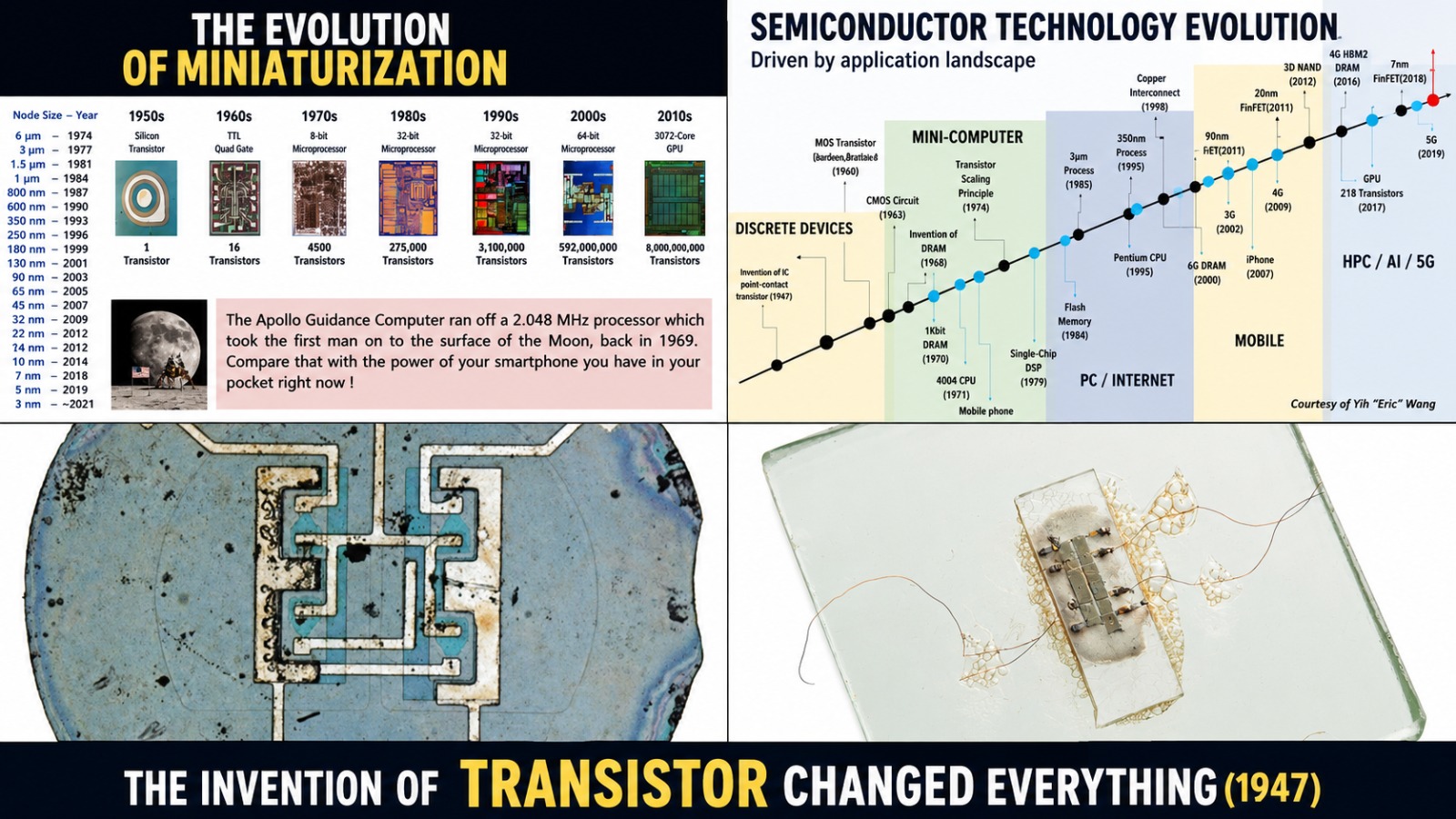
Chapter 2: The Invention That Changed Everything (1947)
What Was the Problem?
Vacuum tubes were too big, too hot, too power-hungry, and too unreliable. The world needed a smaller, faster, cheaper, and more reliable switch.
How Did the Transistor Work?
A transistor is made from a special material called a semiconductor – usually silicon or germanium. A semiconductor can sometimes conduct electricity and sometimes not, depending on conditions.
Think of a transistor like a water tap:
- When you turn the tap handle, water flows or stops
- In a transistor, a small electric signal at the "gate" controls whether a larger electric current flows through
A transistor has three parts:
- Emitter: Source of electric current
- Base (or Gate): The control point – a tiny electric signal here opens or closes the switch
- Collector: Where the current flows out
Key Insight: A tiny electric signal at the base can control a much larger current flowing from emitter to collector. This means a transistor can amplify signals (make them stronger) OR act as an ON/OFF switch.
Why Was This Revolutionary?
Compared to vacuum tubes, transistors were:
- 100 times smaller – a transistor could fit on the tip of your finger
- 10 times faster – switching on and off in microseconds
- Almost no heat – no glowing, no burning out
- 10 times cheaper to manufacture
- 100 times more reliable – could work for years without failing
- Used almost no power – could run on small batteries
What Problem Did This Solve?
Suddenly, it became possible to build smaller, faster, and more reliable electronic devices. Radios became portable. Computers could shrink from room-sized to desk-sized. The foundation for all modern electronics was laid.
Chapter 3: Making Computers Smaller – The Integrated Circuit (1958–1960s)
What Was the New Problem?
By the late 1950s, engineers were using thousands of transistors in a single computer. But they faced a nightmare: connecting all those transistors with wires.
Imagine trying to connect 5,000 tiny switches with wires – by hand. One wrong connection meant the whole machine wouldn't work. Wiring errors were common, and fixing them was a nightmare.
How Did the Integrated Circuit Work?
Instead of building circuits from separate parts and connecting them with wires, two engineers – Jack Kilby and Robert Noyce – came up with a brilliant idea:
What if we put all the transistors and connections on a single piece of silicon?
The integrated circuit (or microchip) is made by:
- Taking a flat piece of pure silicon
- Carefully adding tiny amounts of other materials (like phosphorus or boron) to create transistor regions
- Using a photolithography process (like developing a photograph) to create tiny patterns
- Etching away unwanted material
- Leaving behind millions of tiny components on a single chip, all pre-connected
The Result: Instead of thousands of separate parts with thousands of wires, everything was built into one tiny piece of silicon – about the size of your fingernail.
What Problem Did This Solve?
- Complexity: No more wiring thousands of parts together by hand
- Reliability: Fewer connections meant fewer things to break
- Cost: Manufacturing became cheaper and faster
- Size: Chips kept shrinking while becoming more powerful
- Speed: Signals traveled shorter distances, so processing became faster
Every smartphone, computer, and digital device today is built on this invention.
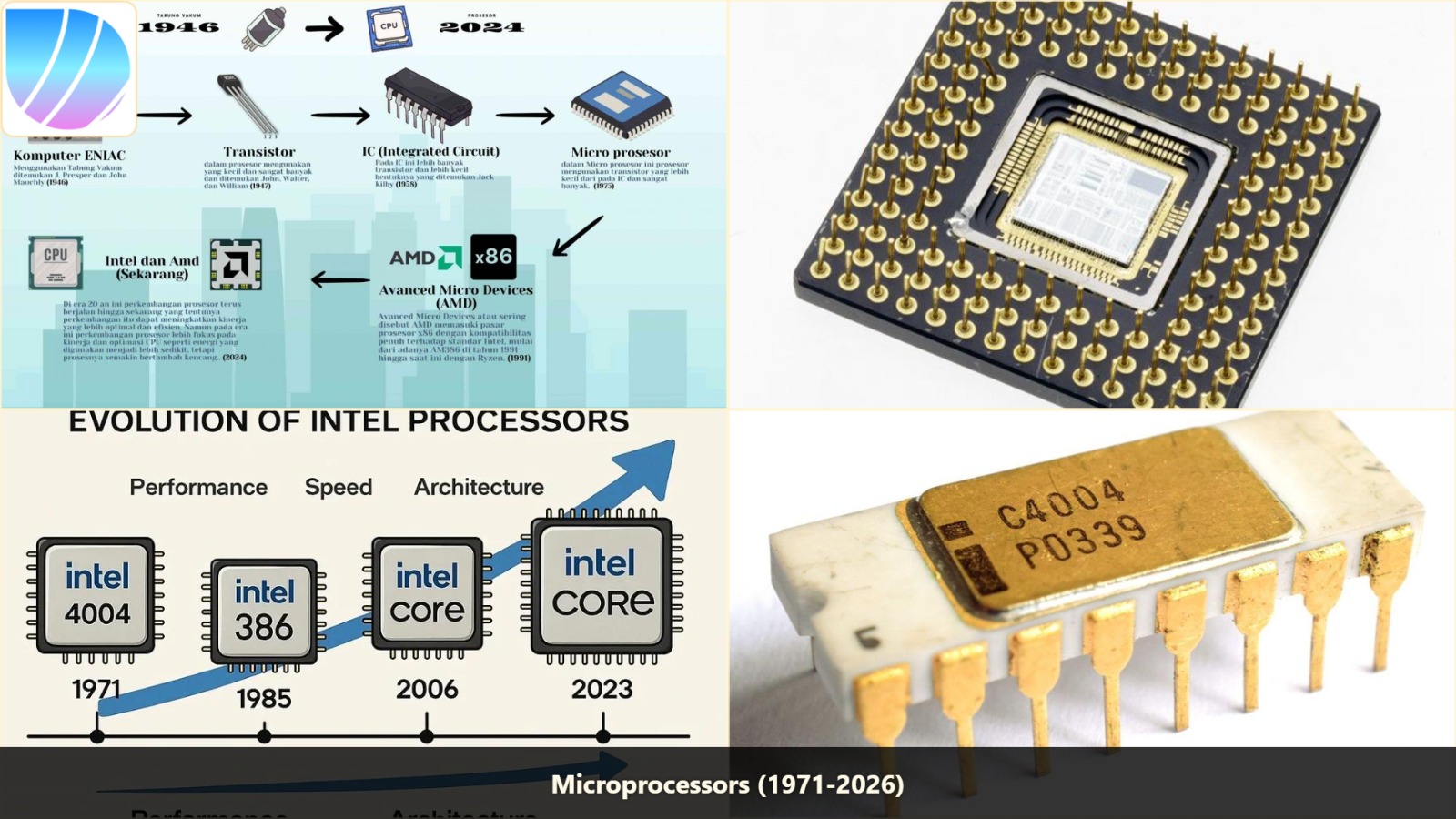
Chapter 4: The First Processor – The Microprocessor (1971)
What Was the Problem?
Even with integrated circuits, different parts of a computer were still separate chips – one for calculations, one for memory, one for input/output. Computers were still too big and complex for everyday use.
Engineers dreamed: What if an entire computer's brain could fit on a single chip?
How Did the Microprocessor Work?
A microprocessor is the "brain" of a computer. It does three things:
- Fetches instructions from memory
- Decodes the instructions to understand what to do
- Executes the instructions (does the math or makes decisions)
Think of it like a chef following a recipe:
- Fetch: Read the next step
- Decode: Understand what the step means ("chop onions")
- Execute: Actually do it
The Intel 4004 (1971) had:
- 2,300 transistors
- Could add two 8-digit numbers in 850 microseconds (0.00085 seconds)
- Ran at 740,000 cycles per second (740 kHz)
What Problem Did This Solve?
For the first time, a complete CPU (Central Processing Unit) could fit on a single chip. This meant:
- Computers could be smaller and cheaper
- Anyone could build a computer – not just big companies
- Electronic calculators, video games, and personal computers became possible
The microprocessor is what makes a computer a computer. Without it, you couldn't have PCs, smartphones, or AI.
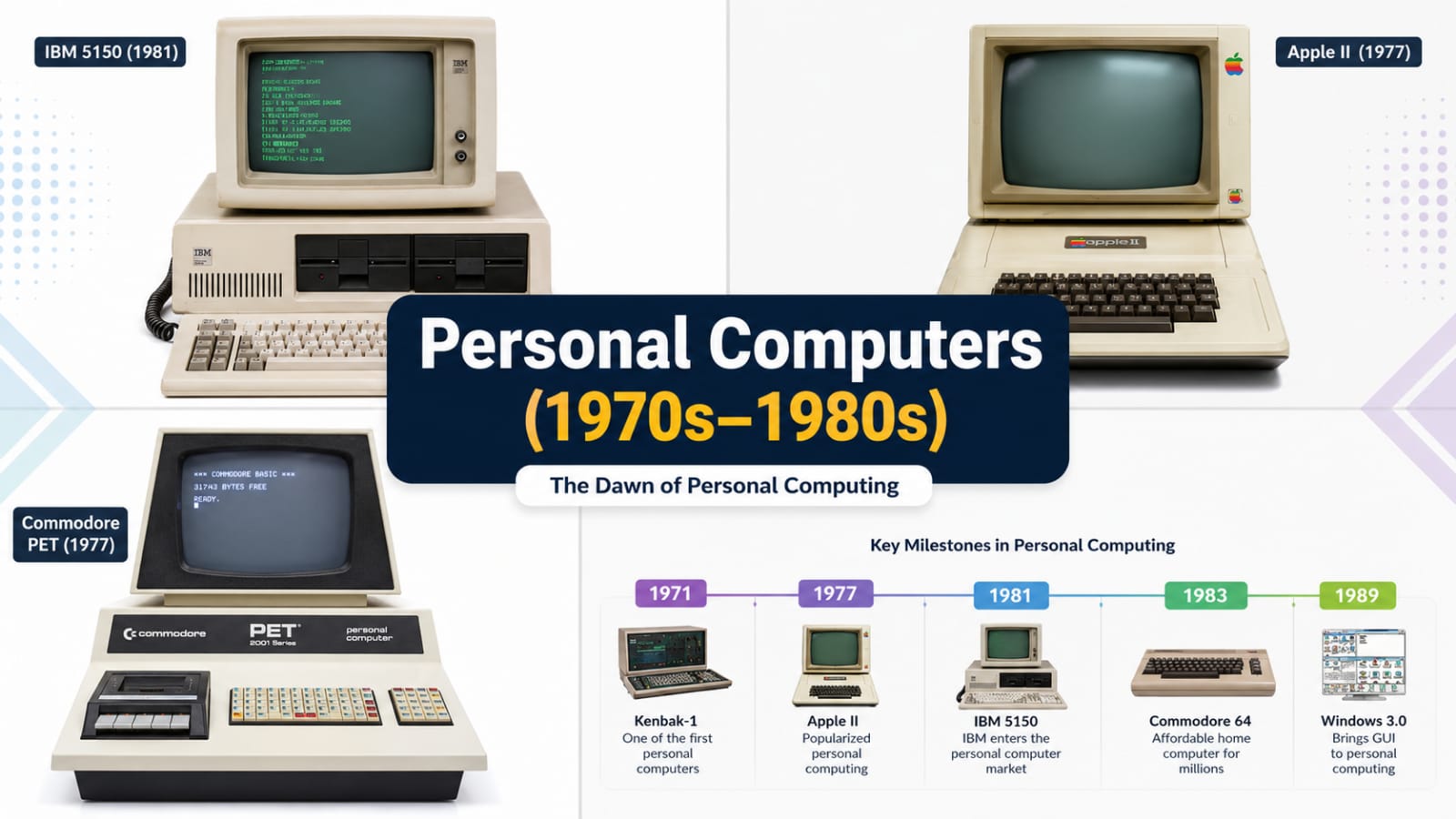
Chapter 5: Personal Computers Enter Homes (1970s–1980s)
What Was the Problem?
Before the 1970s, computers cost millions of dollars and required special training to use. They were found only in government labs, universities, and large corporations. Regular people couldn't afford or use them.
How Did the First Personal Computers Work?
The first PCs were sold as kits – you had to build them yourself. The Altair 8800 (1975) had no screen, no keyboard – just switches and blinking lights. You programmed it by flipping switches.
Then came major improvements:
Apple II (1977):
- Built-in keyboard and screen
- Color graphics
- Simple to use
- Could run games, business software, and educational programs
IBM PC (1981):
- Used Intel microprocessor
- Ran Microsoft's MS-DOS operating system
- Open architecture – anyone could build compatible parts
- IBM's name made it trusted by businesses
Macintosh (1984):
- First successful computer with a Graphical User Interface (GUI)
- Used icons, windows, and a mouse – no commands to memorize
- Made computing visual and intuitive
What Problem Did This Solve?
Computers went from expensive, hard-to-use machines to affordable tools anyone could use. Now people could:
- Write documents and letters
- Play games
- Keep budgets and track finances
- Learn programming
- Run small businesses
The digital revolution began. Computers became part of everyday life.
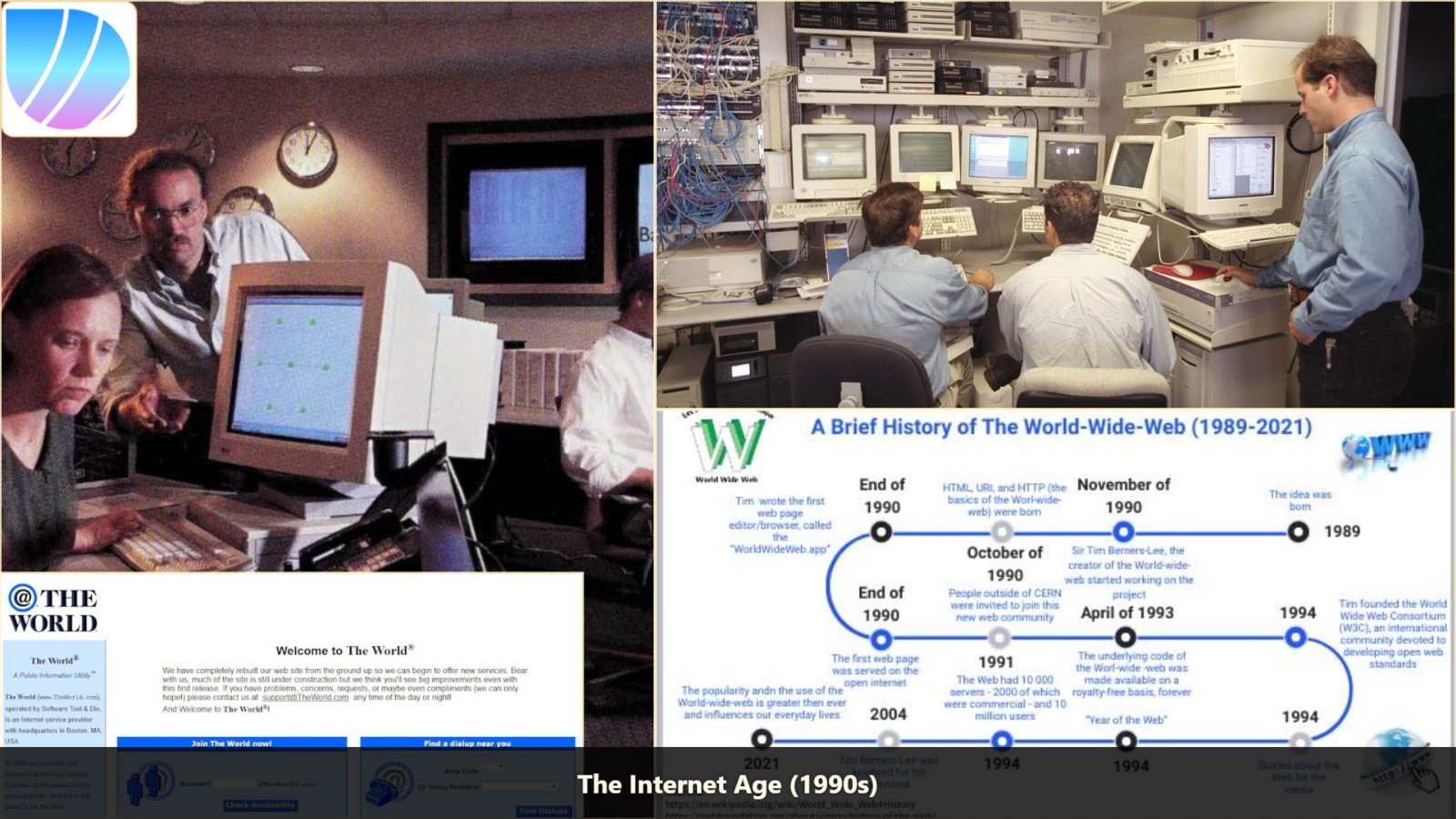
Chapter 6: The Internet Connects the World (1990s)
What Was the Problem?
A computer alone was useful – but what if you wanted to share information with someone across the world? There was no easy way. Information traveled slowly – by mail, fax, or telephone.
How Did the Internet Work?
The internet was originally built by the U.S. military in 1969 (ARPANET). It was designed to survive a nuclear attack – if one part was destroyed, information would automatically find another path.
Think of the internet like a road network:
- You want to send a package (data) from New York to California
- There are many possible roads
- If one road is blocked, you take another
- The package is broken into small pieces, sent separately, and reassembled at the destination
Key Inventions:
TCP/IP (1970s): The "language" computers use to talk to each other on the internet. Every computer has a unique IP address (like 192.168.1.1) so data knows where to go.
World Wide Web (1989): Tim Berners-Lee created web pages with links (hypertext). You could click on a link and jump to another page anywhere in the world.
Mosaic Browser (1993): The first browser that showed images and text together. It made the web visual and easy to use.
What Problem Did This Solve?
Suddenly, information was available to anyone, anywhere, instantly:
- Send emails (instead of letters that took days)
- Read news from around the world (instead of waiting for newspapers)
- Share photos and files instantly
- Learn anything from online resources
- Shop online
- Connect with people everywhere
The world became connected like never before. And the enormous amount of data created by the internet would later help train AI systems.
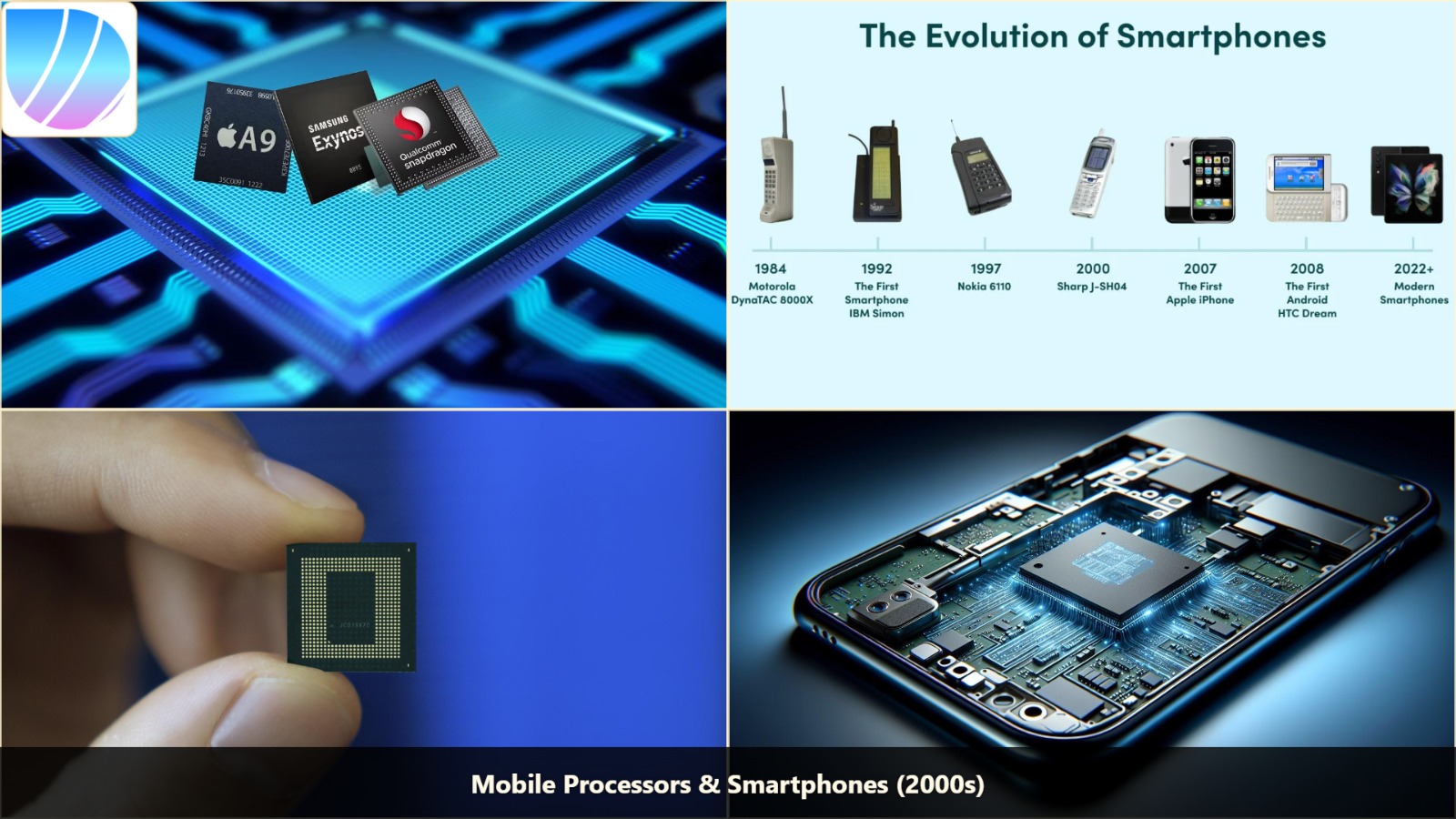
Chapter 7: Computers Move Into Your Pocket – Smartphones (2000s)
What Was the Problem?
Laptops were portable but still too big for a pocket. People wanted their computer to be with them everywhere, all the time. Mobile phones could make calls, but they weren't smart – they couldn't do calculations, browse the internet, or run apps.
How Did Smartphones Work?
The secret was a new kind of processor – ARM (Advanced RISC Machines). Unlike the processors in PCs (which used lots of power and generated heat), ARM processors were:
- Energy efficient: Used very little power, so batteries lasted all day
- Small: Fit easily into a phone
- Cool: Didn't overheat, so no fans needed
How a Smartphone Combines Everything:
- Processor (CPU): The brain – runs the operating system and apps
- Graphics Processor (GPU): Handles images, video, and games
- Memory (RAM): Temporarily stores what you're working on
- Storage: Saves your photos, apps, and files
- Sensors: Camera, GPS, accelerometer (detects motion), gyroscope (detects orientation), fingerprint sensor, etc.
- Cellular Radio: Connects to the mobile network for calls and internet
- WiFi and Bluetooth: Connect to other devices
- Multi-touch screen (no keyboard needed)
- App Store (anyone could create and share apps)
- Internet everywhere
- A phone, music player, camera, and computer all in one
- Check email anywhere
- Use maps and GPS to navigate
- Take photos and videos instantly
- Communicate with friends via messaging apps
- Play games, watch videos, listen to music
- Do banking, shopping, and learning
- Step 1: Show 100 pictures, saying "This is a cat" or "This is NOT a cat"
- Step 2: The child starts noticing patterns (ears, whiskers, fur, eyes)
- Step 3: Give a new picture – the child can now guess if it's a cat
- You create a mathematical model (like a giant equation with thousands of variables)
- You feed the model labeled examples (e.g., 50,000 cat images and 50,000 non-cat images)
- The model adjusts its internal variables to minimize errors
- After seeing millions of examples, it learns to recognize patterns
- Now give it a new image – it can classify it correctly
- Supervised: We tell the computer the right answer for each example ("This is a cat")
- Unsupervised: We let the computer find patterns on its own ("These images seem to cluster into groups")
- Face Recognition: Your phone can unlock when it sees your face
- Speech Recognition: Siri, Alexa, and Google Assistant understand your voice
- Recommendations: YouTube, Netflix, and Spotify suggest what you might like
- Spam Filtering: Your email automatically catches junk mail
- Fraud Detection: Banks detect suspicious transactions instantly
- Human brain has ~86 billion neurons (nerve cells)
- Neurons connect to each other through synapses
- When you learn something, connections strengthen
- The brain processes information through layers of neurons
- Input Layer: Receives raw data (pixels of an image, words of a sentence)
- Hidden Layers: Process the data step by step (many layers = DEEP learning)
- Output Layer: Produces the final result (cat or not cat, translation, etc.)
- Receive inputs
- Multiply them by weights (importance)
- Add a bias (adjustment)
- Pass through an activation function (decides whether to "fire" or not)
- Send output to the next layer
- Layer 1: Detects edges and corners
- Layer 2: Detects shapes (circles, squares)
- Layer 3: Detects parts (eyes, nose, ears)
- Layer 4: Detects objects (faces)
- Layer 5: Identifies specific people (your face)
- Image recognition: Identifying objects, faces, and scenes with near-human accuracy
- Speech recognition: Understanding spoken language, even with background noise
- Language translation: Translating between languages with natural, fluent results
- Game playing: Beating world champions in Go, Chess, and video games
- Medical diagnosis: Detecting diseases from X-rays and MRI scans better than doctors in some cases
- Attention Mechanism: Instead of processing words one by one, the model looks at ALL words at once and decides which are most important.
- Training on Massive Data: The model is fed billions of pages of text from the internet, books, articles, websites, and code.
- Self-Supervised Learning: The model learns by predicting the next word in a sentence. If it gets it wrong, it adjusts. After billions of examples, it learns grammar, facts, reasoning, and even style.
- GPT-2 (2019): 1.5 billion parameters
- GPT-3 (2020): 175 billion parameters
- GPT-4 (2023): Estimated 1.8 trillion parameters
- Text: Write articles, poetry, emails, reports, and even code
- Images: Create original artwork from text descriptions (DALL-E, Midjourney)
- Audio: Compose music, generate realistic speech, create sound effects
- Video: Generate short videos from text prompts
- Code: Write, debug, and explain computer programs (GitHub Copilot)
- Translation: Translate between languages with human-like quality
- Conversation: Hold natural conversations, answer questions, provide explanations
- Write drafts instantly
- Create artwork without artistic skills
- Program without deep coding knowledge
- Get answers to complex questions
- Translate languages naturally
- Brainstorm ideas
- Natural Interaction: Instead of clicking menus or typing commands, you'll simply talk to your computer naturally – like talking to a friend.
- Context Understanding: Your devices will know your schedule, preferences, habits, and current context. They'll anticipate your needs before you even ask.
- Continuous Learning: The AI will improve with every interaction, adapting specifically to you – your voice, your writing style, your priorities.
- Multimodal Understanding: The AI will understand text, images, audio, and video together – showing true understanding of the world.
- Quantum Computing: Uses quantum mechanics to solve problems impossible for classical computers. Could revolutionize drug discovery, materials science, and cryptography.
- Neuromorphic Computing: Processors that mimic the human brain's neural structure, consuming very little power while being extremely fast at AI tasks.
- Specialized AI Chips: Nvidia GPUs, Google TPUs, and other chips specifically designed for AI workloads – far faster than general-purpose processors.
- AI Personal Assistants: A true digital companion that knows you better than anyone, helping with everything from scheduling to creative projects
- Self-Driving Everywhere: Cars, delivery robots, and drones fully autonomous, creating safer roads and faster delivery
- AI Doctors: Medical diagnosis, treatment planning, and even surgical robots – making healthcare cheaper and more accessible
- Intelligent Robots: Robots that work alongside humans in homes, offices, and factories – adapting to new situations without reprogramming
- Personalized Education: AI tutors that adapt to each student's learning style, pacing lessons perfectly
- Language Barriers Gone: Real-time translation so anyone can talk to anyone, anywhere
- Scientific Discovery: AI could discover new drugs, materials, and scientific theories far faster than humans
- Ethics: Who is responsible when AI makes a mistake? How do we prevent bias in AI systems?
- Privacy: How much data should AI have about us? How do we protect it?
- Job Displacement: Many jobs will change or disappear. How do we prepare people with new skills?
- Security: How do we prevent AI being used for harmful purposes?
- Control: How do we ensure AI systems remain aligned with human values?
- The transistor created microchips
- Microchips created processors
- Processors created personal computers
- PCs created the internet
- The internet created vast amounts of data
- Vast data + powerful processors created AI
- AI created generative AI
- Generative AI is now creating an AI-native future
The iPhone (2007) Changed Everything:
What Problem Did This Solve?
For the first time, a powerful computer fit in your pocket. Billions of people now carry computers with them everywhere:
Today's smartphones are more powerful than the computers that sent humans to the Moon in 1969!
Chapter 8: Computers Learn – Machine Learning
What Was the Problem?
Traditional computers follow rules given by humans. If you want a computer to recognize a cat, you must give it thousands of rules: "Cats have four legs," "Cats have fur," "Cats have pointed ears" – but these rules always fail for some new photo. No human can write rules for every possible image.
Scientists wanted a different approach: What if computers could learn from experience, like children do?
How Does Machine Learning Work?
Instead of telling the computer what to look for, you give it lots of examples and let it figure out the patterns itself.
Imagine you're teaching a child to recognize cats:
Technically, how does this work inside a computer?
Supervised vs Unsupervised Learning:
What Problem Did This Solve?
Computers stopped being just calculating machines – they became learning machines.
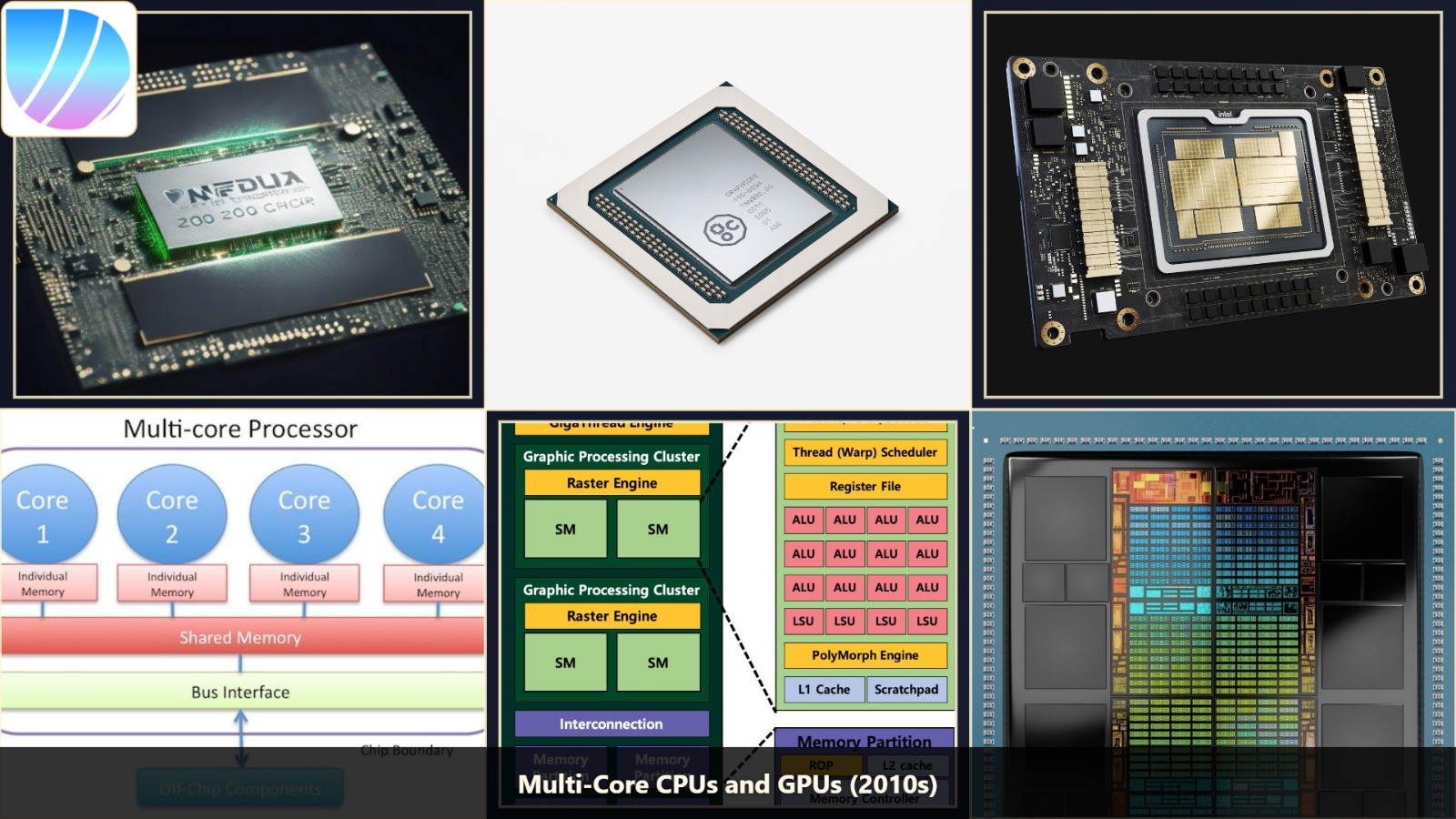
Chapter 9: The Rise of Artificial Intelligence – Deep Learning (2010s)
What Was the Problem?
Traditional machine learning worked well for simple problems, but struggled with very complex tasks – like recognizing objects in messy photos, understanding natural language with all its nuances, or translating languages accurately.
The problem was that traditional ML models had limited "depth" – only a few layers of processing. Human brains have millions of interconnected neurons processing information in layers.
How Does Deep Learning Work?
Deep learning uses Artificial Neural Networks – computer systems inspired by the human brain.
The Brain Analogy:
Artificial Neural Networks have:
How Each Layer Works:
Each layer has "neurons" (mathematical functions) that:
Image Recognition Example:
What Problem Did This Solve?
Deep learning became incredibly good at:
Deep learning made AI truly useful and began entering every aspect of our lives.
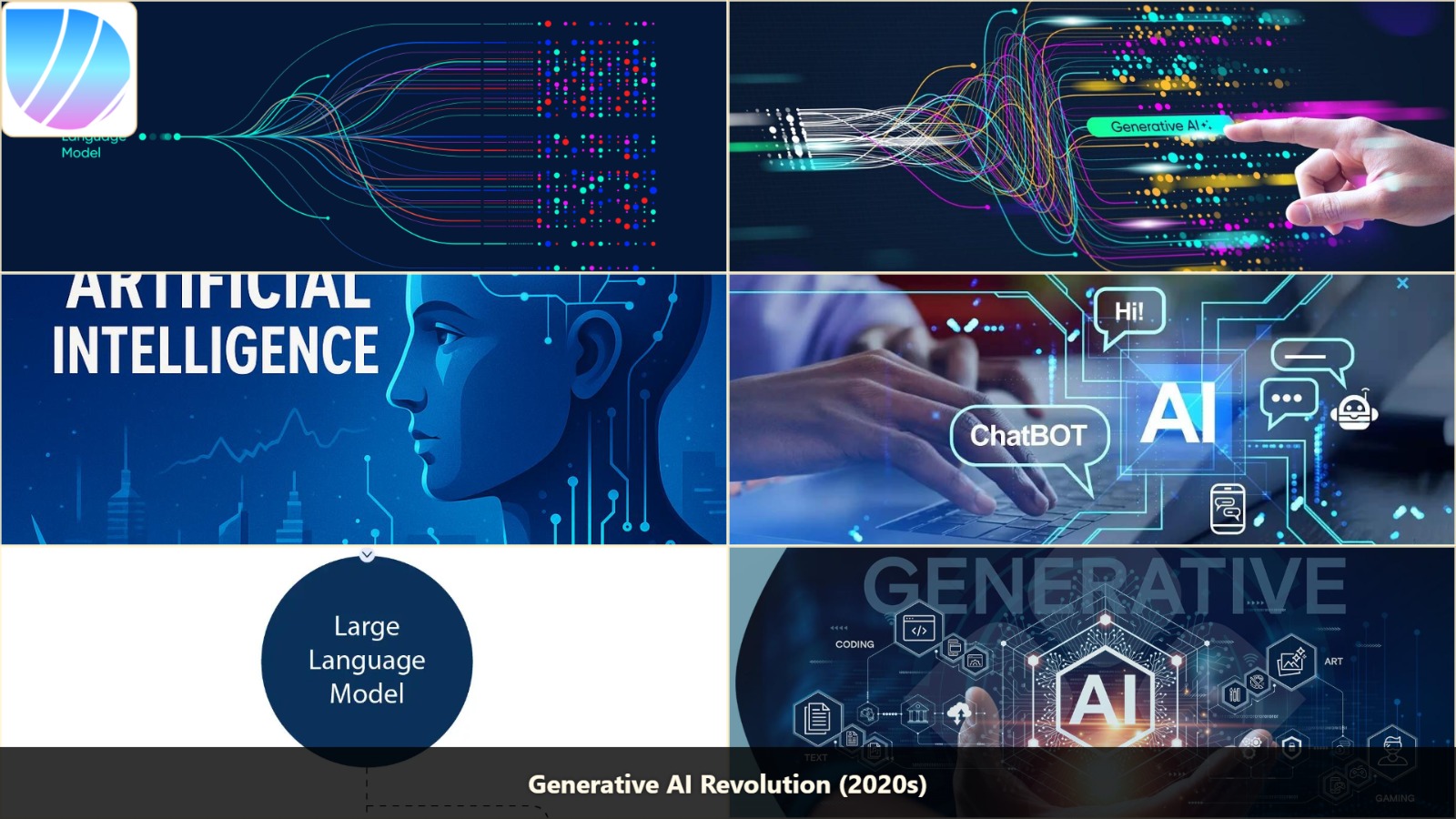
Chapter 10: The Generative AI Revolution – When AI Starts Creating (2020s)
What Was the Problem?
Previous AI could understand, classify, and predict – but it couldn't CREATE. It could tell you if an image was a cat, but it couldn't draw a new cat. It could translate a sentence, but it couldn't write a poem.
Scientists asked: What if AI could not just analyze, but generate something completely new?
How Does Generative AI Work?
The key breakthrough was the Transformer architecture (2017), invented by Google researchers.
How the Transformer Works:
Example: In the sentence "The cat sat on the mat because it was tired" – the word "it" refers to "cat" (not mat). The attention mechanism figures this out.
Scaling Up:
"Parameters" are like the knobs the model can adjust – more knobs = more learning capacity.
What Can Generative AI Do Today?
What Problem Did This Solve?
Generative AI allows anyone to:
Generative AI isn't replacing humans – it's augmenting them, making each person more productive and creative.
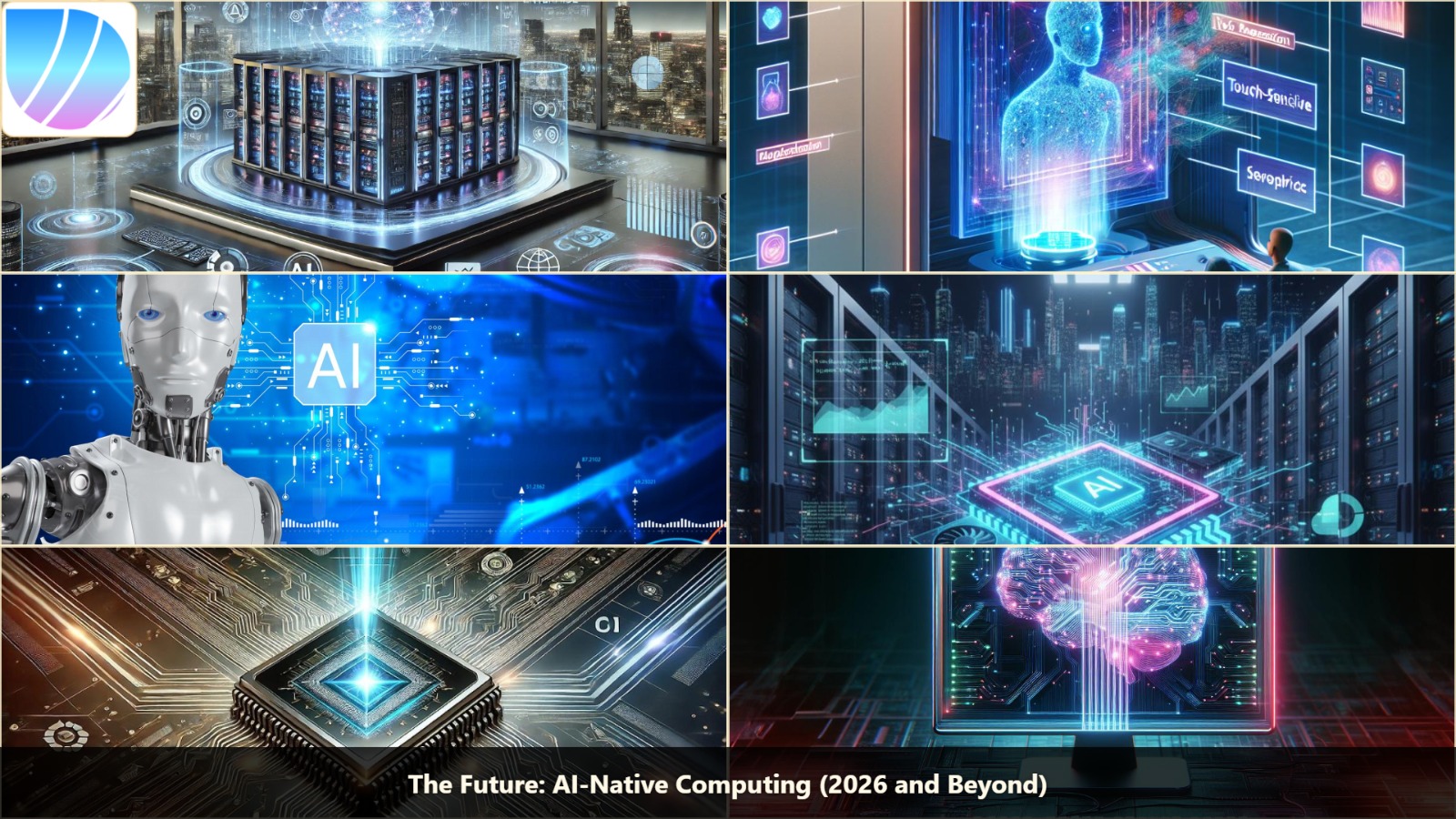
Chapter 11: The Future – AI-Native Computing (2026 and Beyond)
What Is the Next Problem We're Trying to Solve?
Today's AI still works differently from humans. It processes information statistically, not truly understanding context. It can't reason like a human, doesn't have common sense, and makes mistakes that humans wouldn't.
What Does "AI-Native" Mean?
Future computers won't just have AI as an app or feature – AI will be the core of the system, as fundamental as electricity or the processor.
How Will Future AI-Native Systems Work?
Emerging Technologies:
What Future Applications Are Coming?
What Problems Must We Solve First?
The most important thing about the future: It's not about computers becoming faster – it's about computers becoming smarter and more helpful to humanity.
Final Thoughts
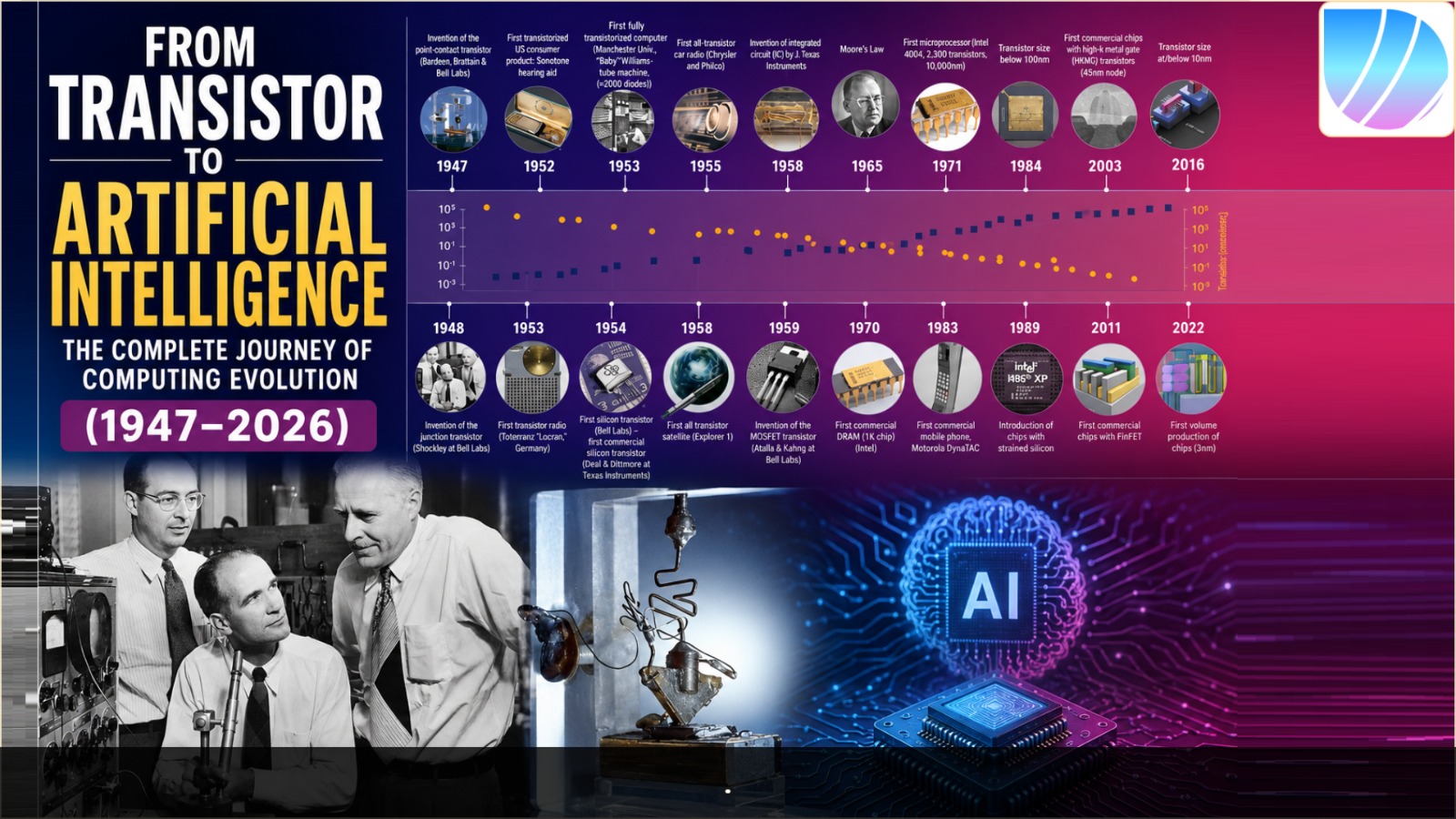
The journey from transistor to artificial intelligence is one of humanity's most extraordinary achievements.
Every generation built upon the previous one:
What started in 1947 as a tiny switch on a piece of germanium has grown into intelligent systems that help billions of people around the world every single day.
In 1947, the engineers at Bell Labs probably didn't imagine their invention would one day write poetry, diagnose diseases, drive cars, and explore space.
But that's exactly what happened – and the journey is only just beginning.